The fastest way to break an AI film is a face that changes between shots. Viewers don't always know what's wrong, but they feel it, and they scroll.
Élise has now starred in three of our films: His First Ten Euros in winter Paris, She Was Just the Seamstress, and The Gown. They were made on different days, in different outfits, from completely separate video renders. She is the same woman in all three.
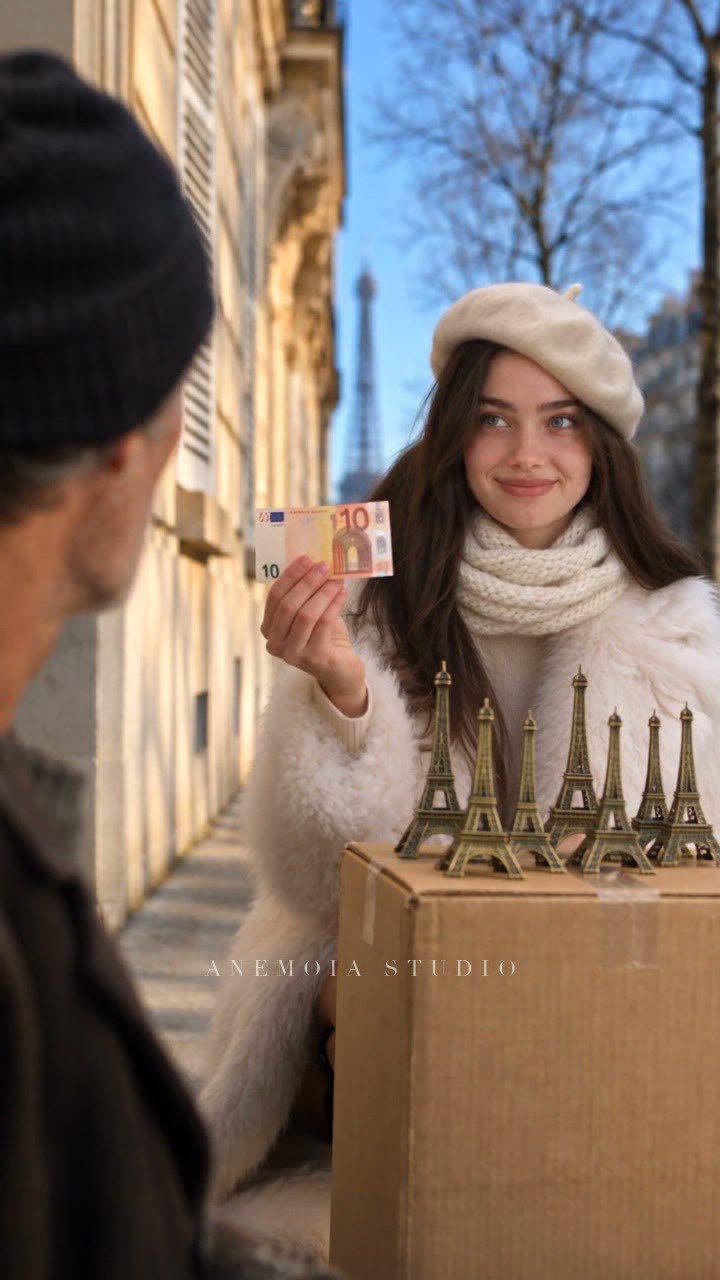


This is the system we use, in the order we do it.
1.Make two sheets, not one photo
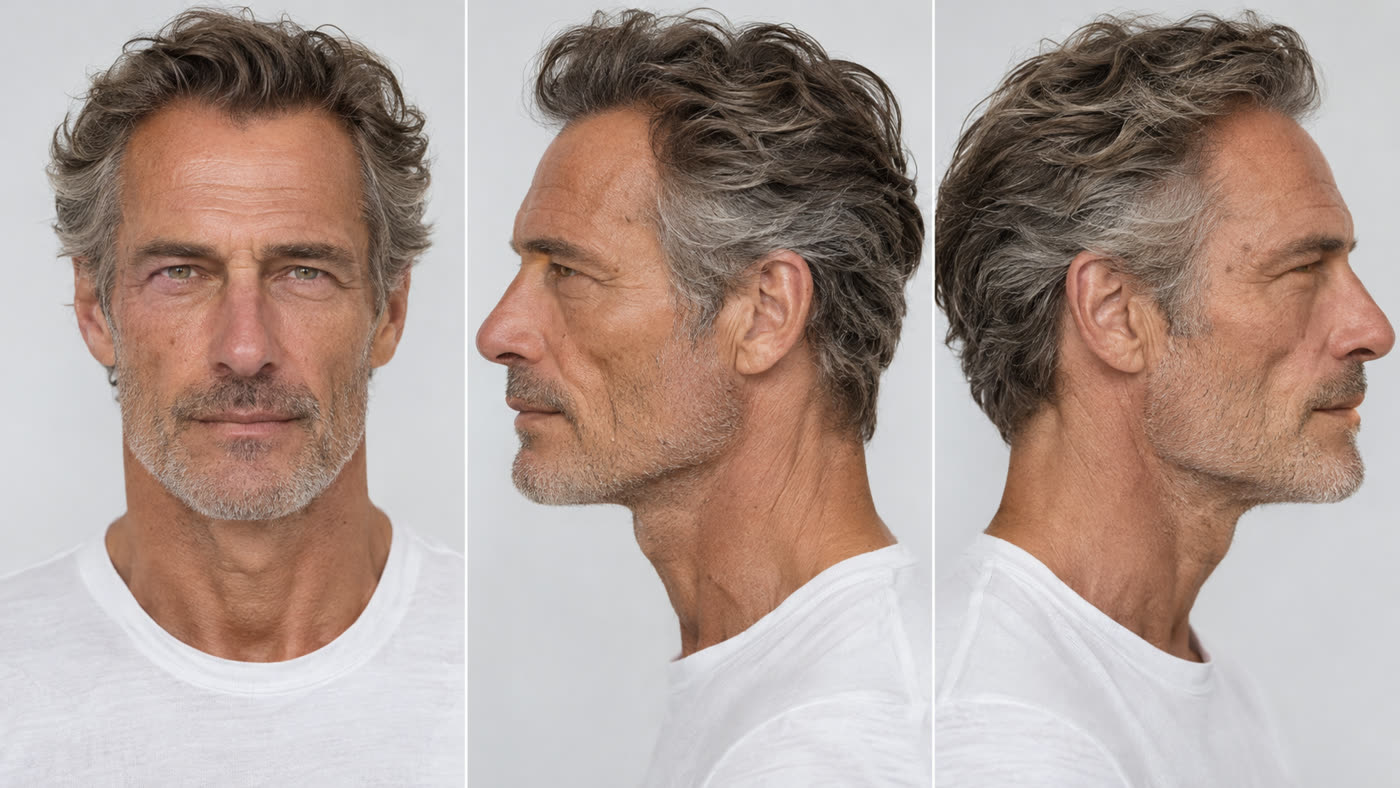
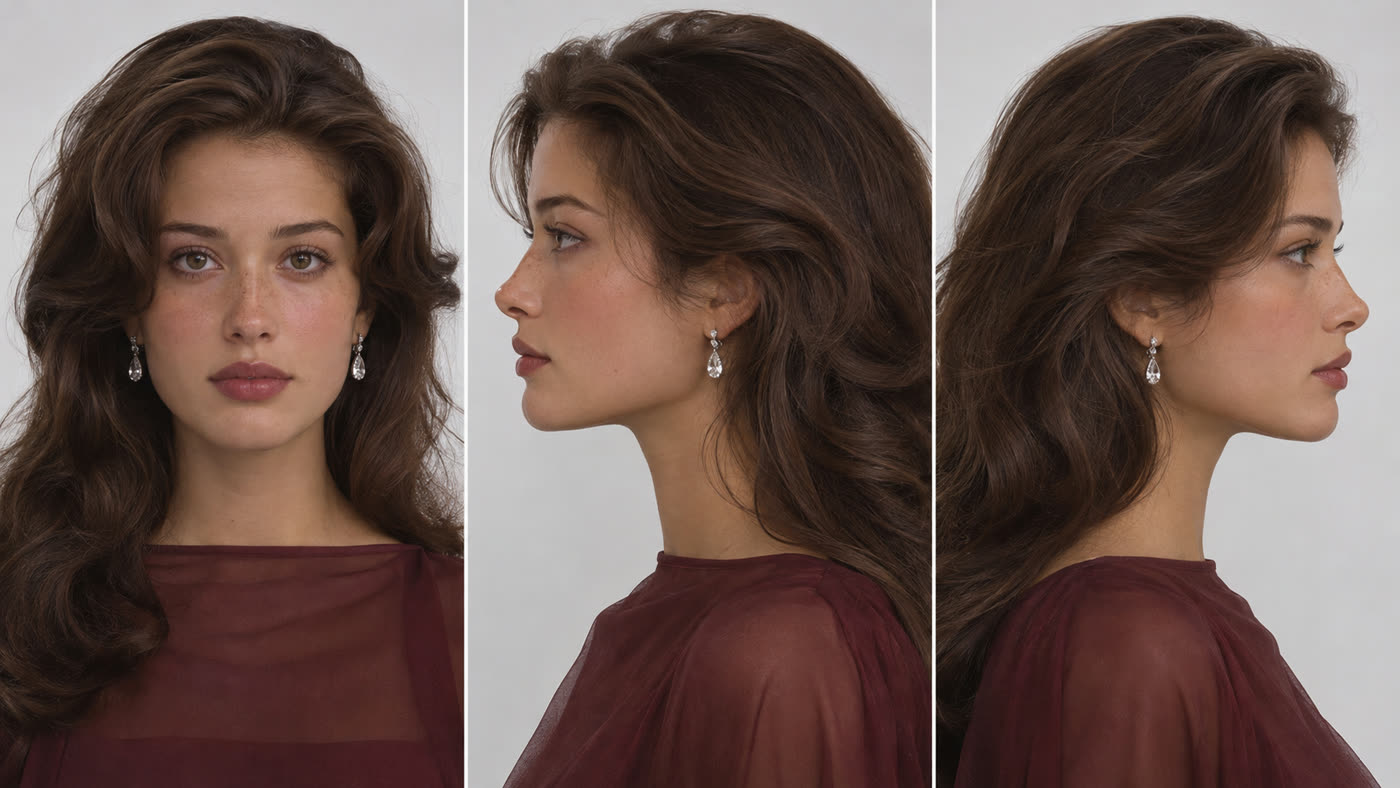
A single nice portrait isn't enough. Video models need to see a head from more than one angle, or they invent the side of the face the moment the character turns. So every character gets two images.
- The face sheet: front, left profile and right profile, head and shoulders, on a plain light background with soft even light. This is the only place the face lives.
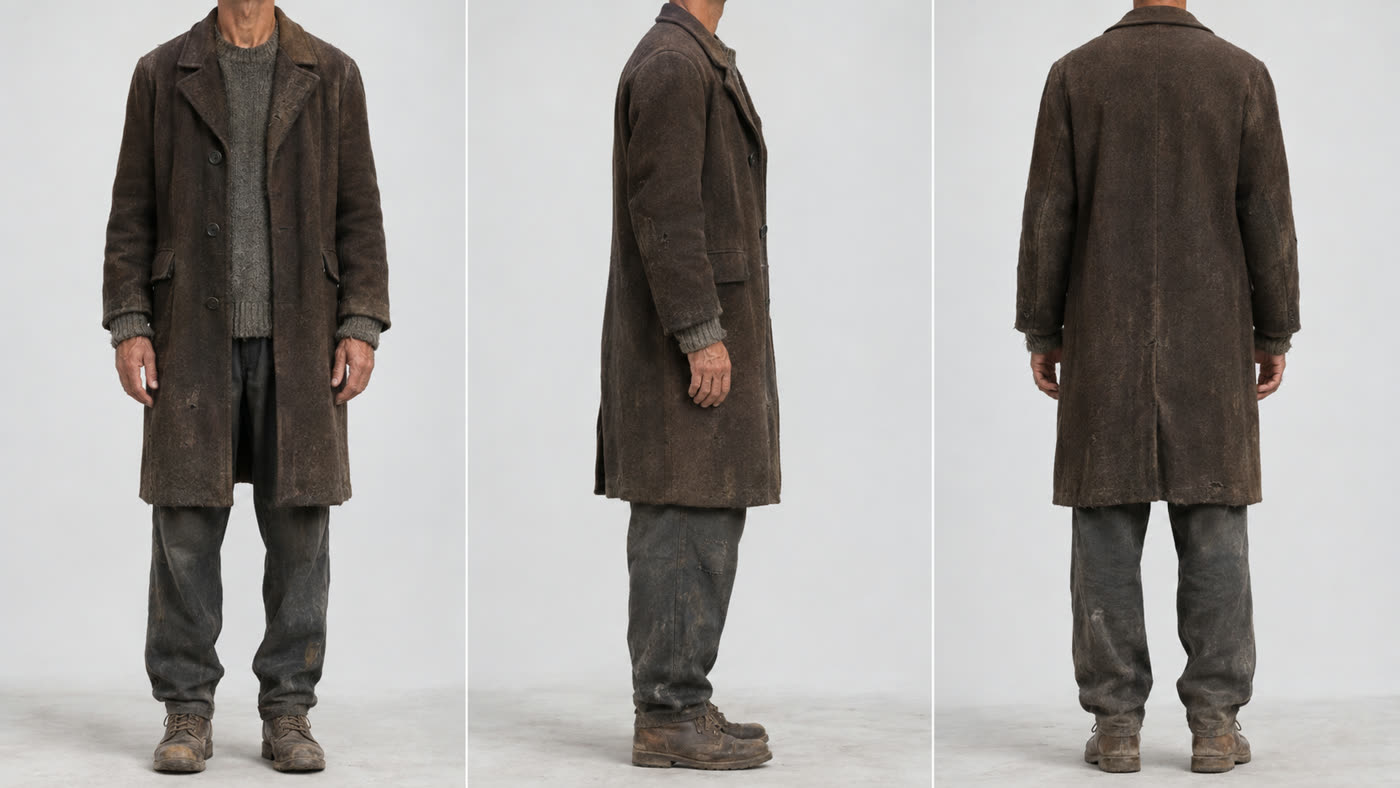
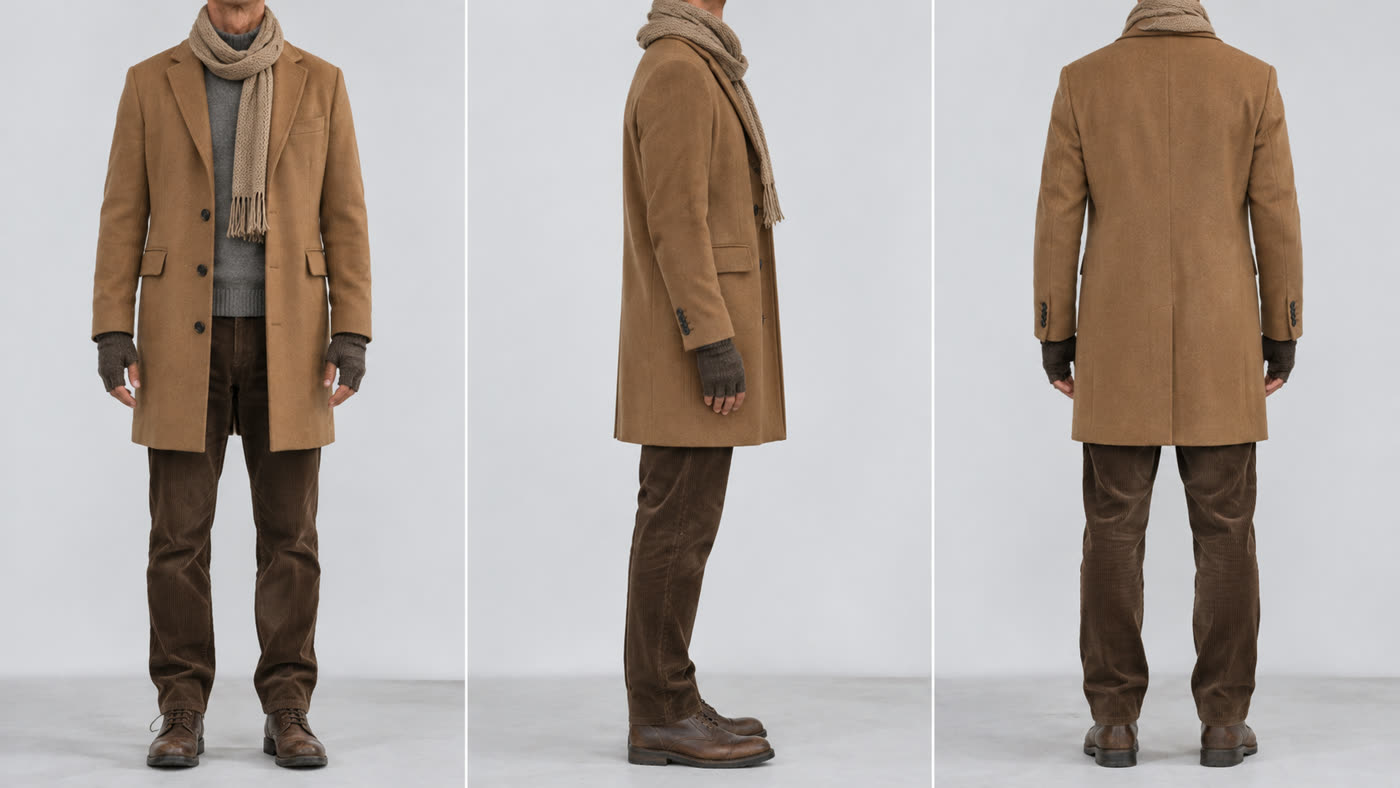
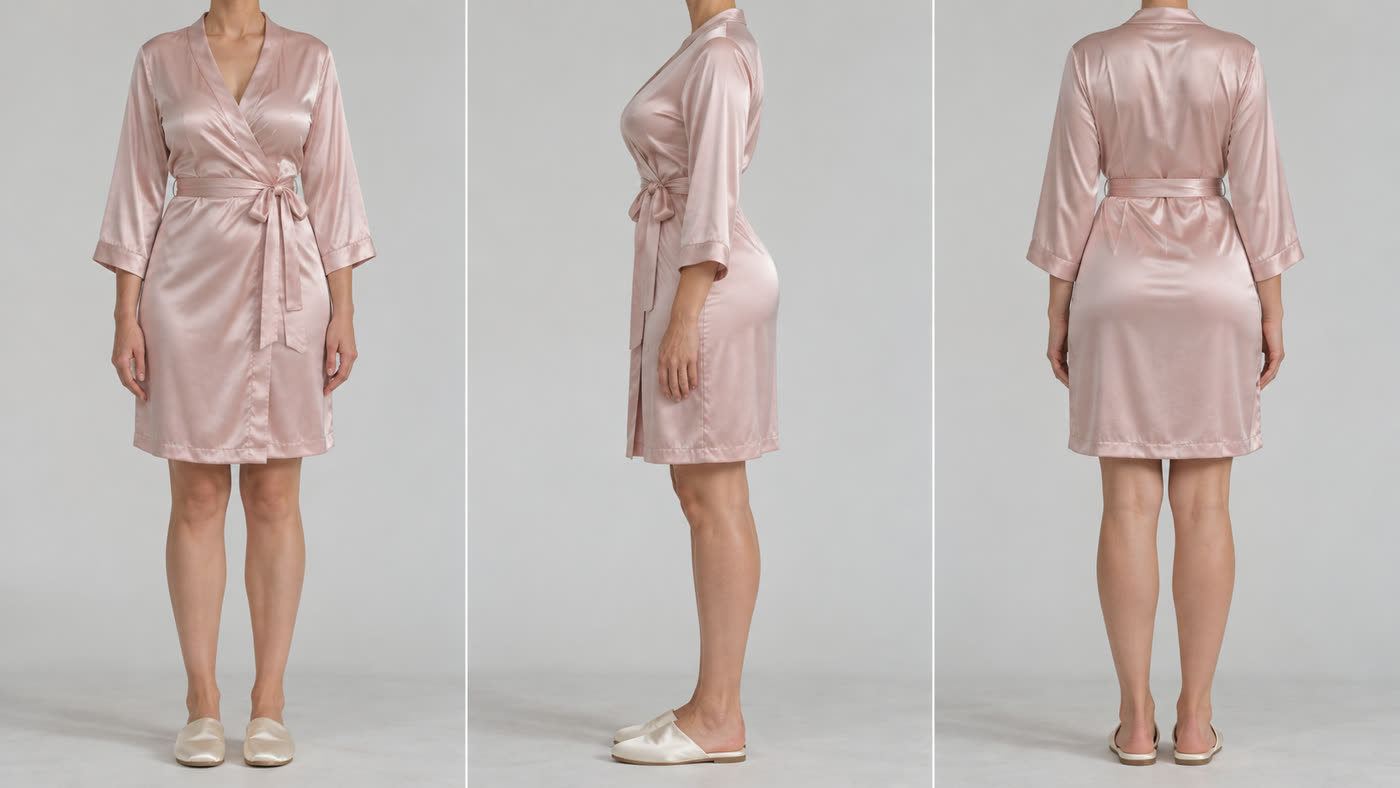
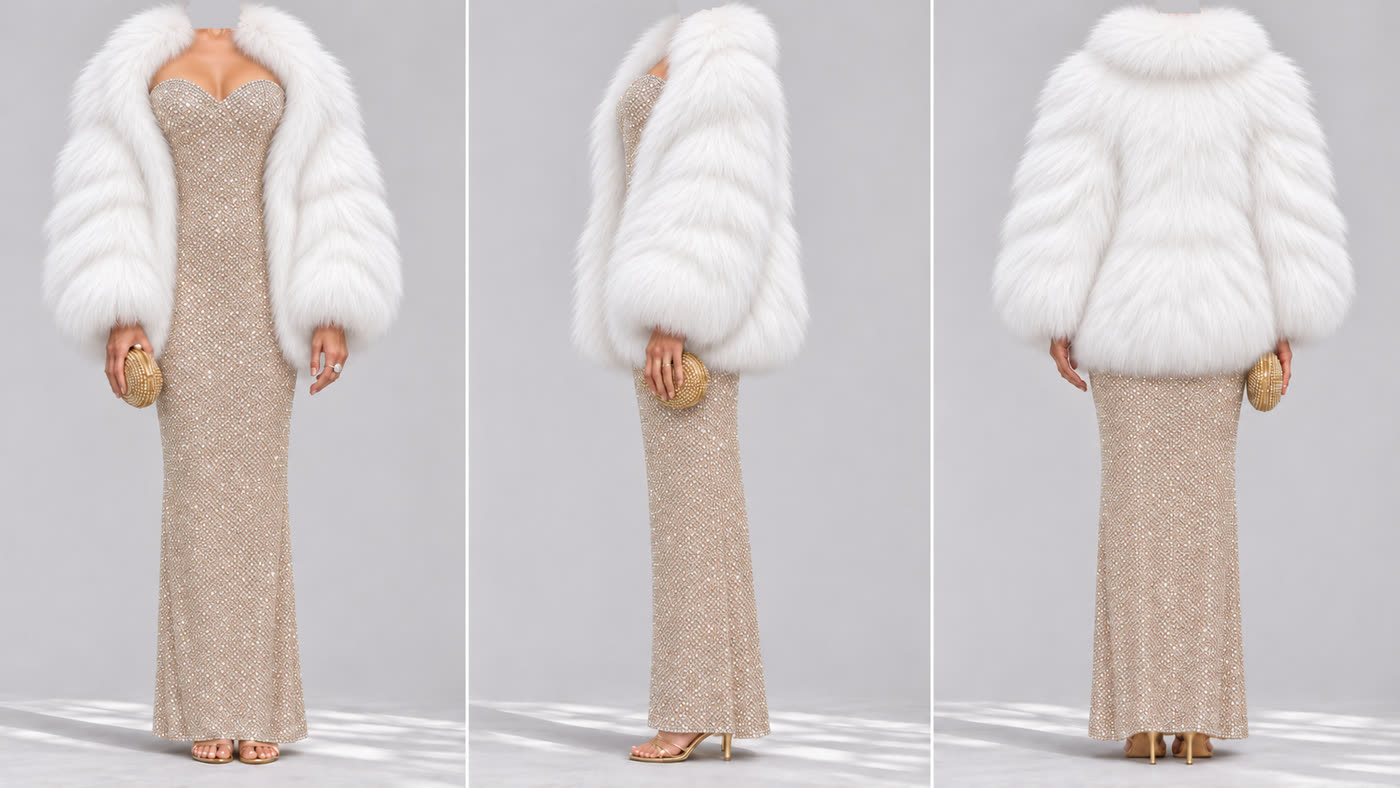
- The body sheet: the outfit from the front, side and back. This is where the clothes and figure live.
2.One face, many wardrobes
Once the face sheet is approved, we never touch it again. A new outfit only means a new body sheet. In His First Ten Euros, Lucien goes from sleeping on the street, to selling souvenirs at a market stall, to owning his own shop. That's three body sheets, all sitting next to the one face sheet above.
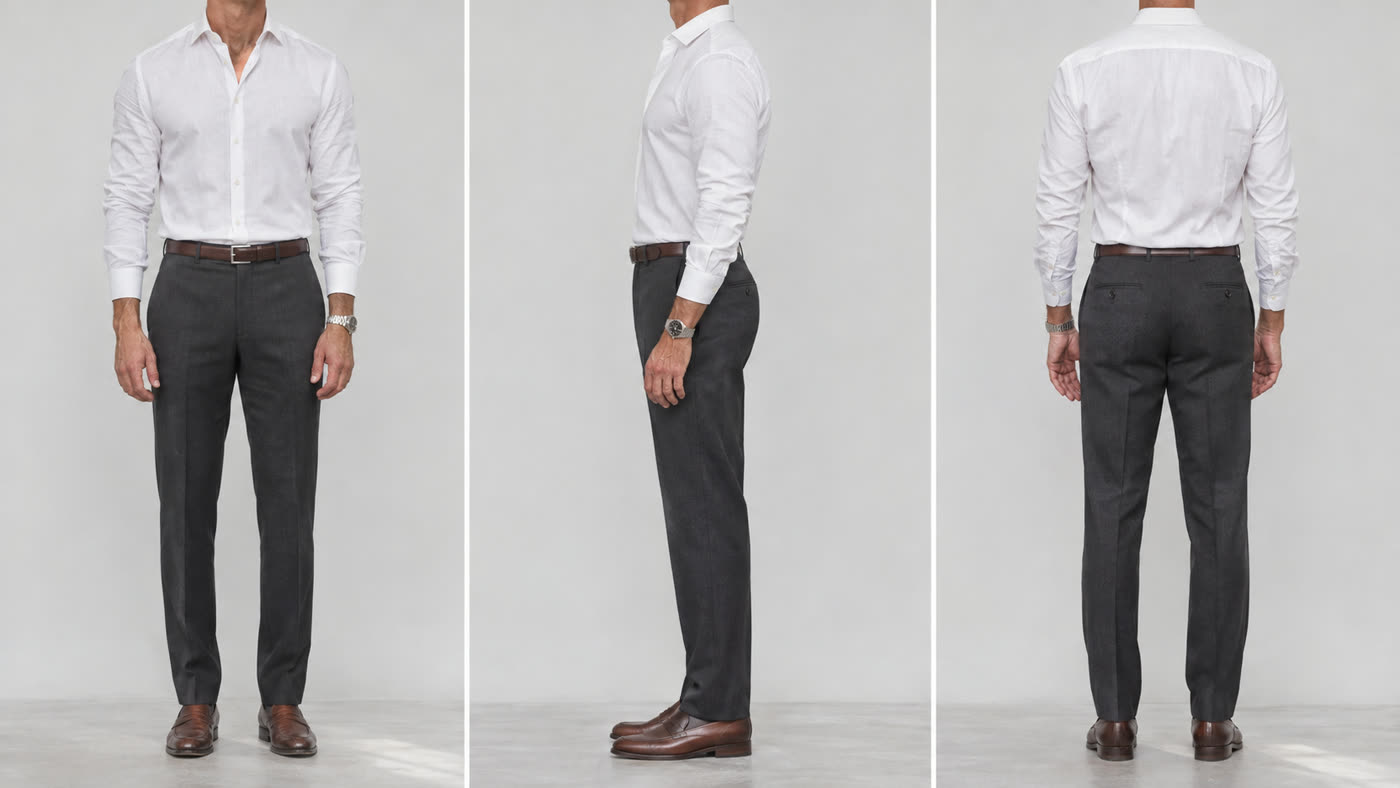
Grace works the same way. In First Impressions she's in a blush satin robe. In our Christmas Eve short she's in a white fur coat over a sequin gown. Same face sheet both times.


3.Never describe the face in the prompt
This is the one most people get wrong. If your prompt says "blue eyes, freckles, full lips", you now have two sources for the face: your words and your sheet. The model averages them, and the face drifts a little in every shot.
So the prompt only says what the character does. The face comes from the sheet, and nothing else.
✓ Grace (@image6) swings in from the left and slams her bare palm flat on the table.
Notice the tag. Every time a character is mentioned, we write their name and their image number, so the model always knows which sheet belongs to which person. With three people in one scene, this alone stops faces from swapping between characters.
4.Send a close-up face in every shot, even the wide ones
In a medium or wide shot, a face can be about 100 pixels tall. At that size the model guesses, and every guess is slightly different. We once rendered the same medium shot three times with only the scene photo as the reference, and got three different-looking women.
The fix is simple: every video request includes the face sheet, described as "a reference for identity only, not a shot", even when the face will be small. Since we started doing this, faces hold far better in the wider shots.
5.Start from a real photo, then change it
New characters look most believable when they start from a real photograph, because real faces have small asymmetries that AI faces lose. But we don't want to copy anyone. So we generate a new person who keeps only about 30% of the inspiration: the age, the vibe, the hair type. The face itself is redesigned.

6.When one shot drifts, fix only that shot
Even with all of this, a shot will sometimes come back wrong. Don't re-render the whole scene. Re-render only the broken shot with the same sheets, then cut it back in. In our last film, the opening five seconds needed a different action, so we regenerated just those five seconds and kept the other twenty-five.
The exact face-sheet, body-sheet and video prompts we used for every image on this page are in the course. Join the waitlist to get the prompts →